 GymLift
Log every set.
Weights planned
for you.
GymLift sets today's weights, sets and rest from your recovery — and shows the reason for every change. Free to log, forever.

 Scan to get it
on your iPhone
Free on the App Store · iPhone + Apple Watch
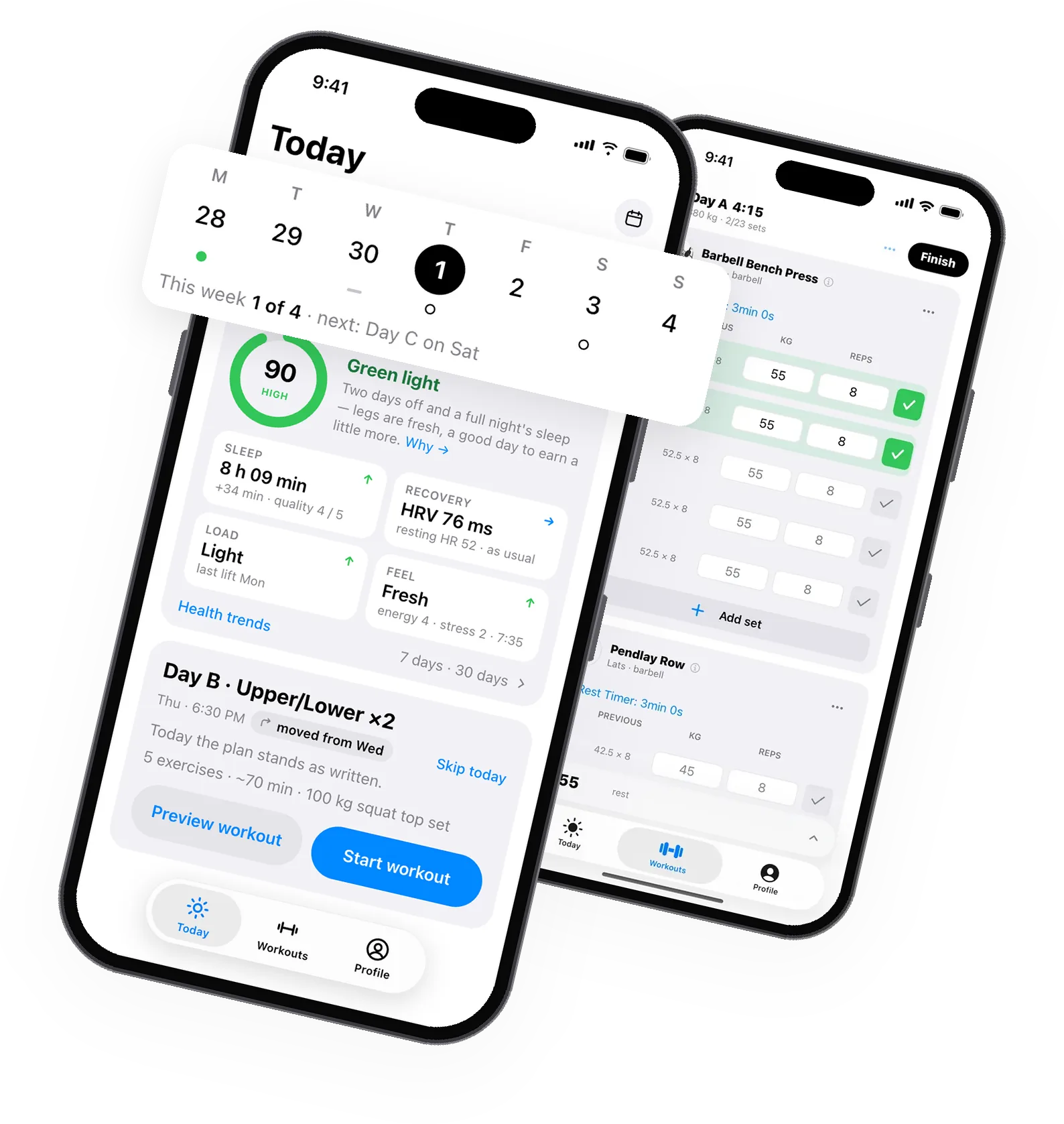
A day with GymLift
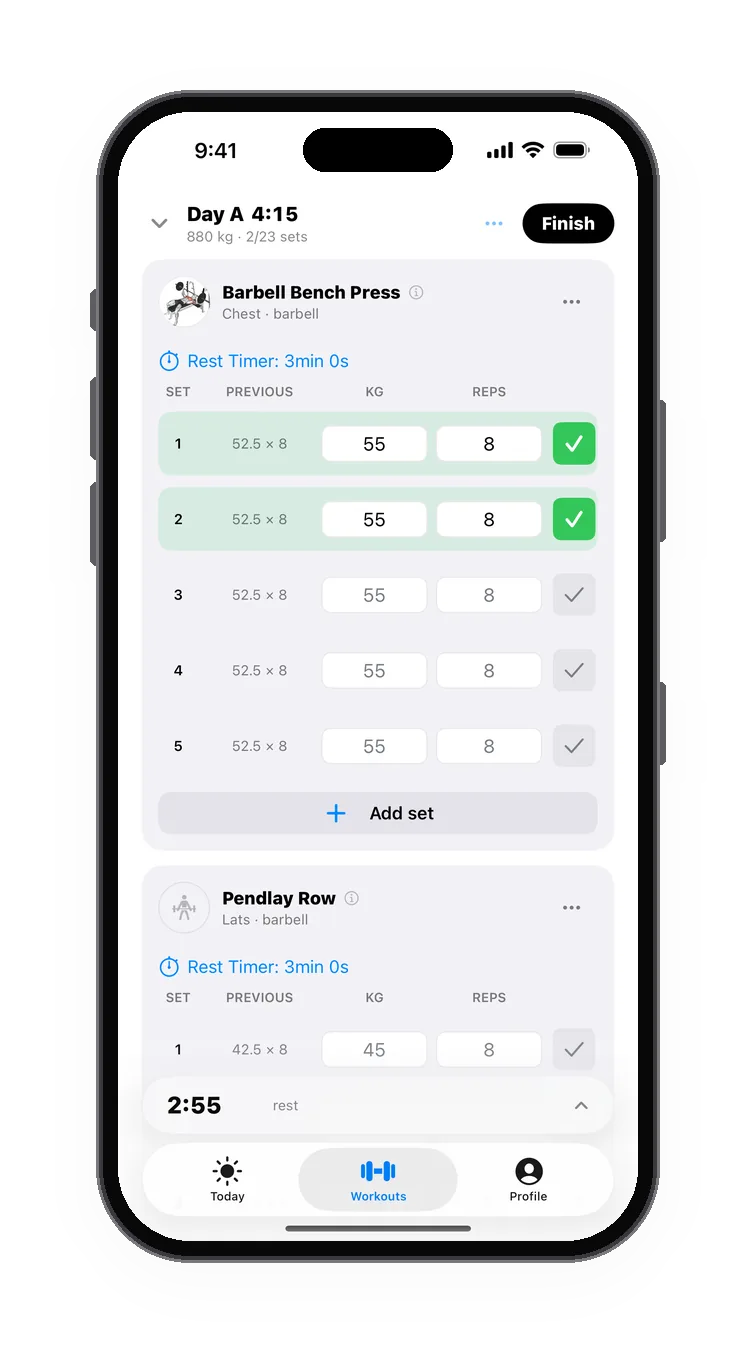
Log every set.
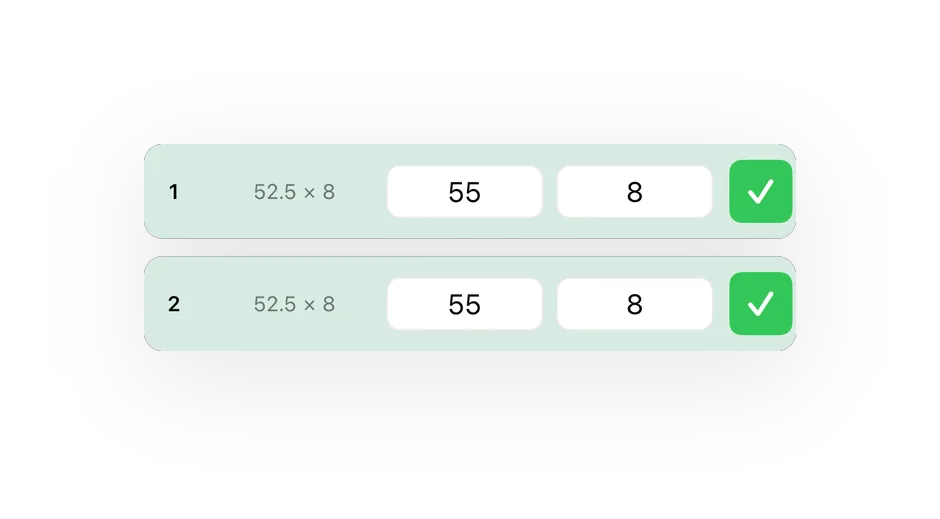
A logger that keeps up with you, not the other way round.
- Last session's values on every row
- Rest timer that keeps running between screens
- Supersets, warm-ups and timed sets
- Start from a routine or an empty workout
A plan that adapts.PRO
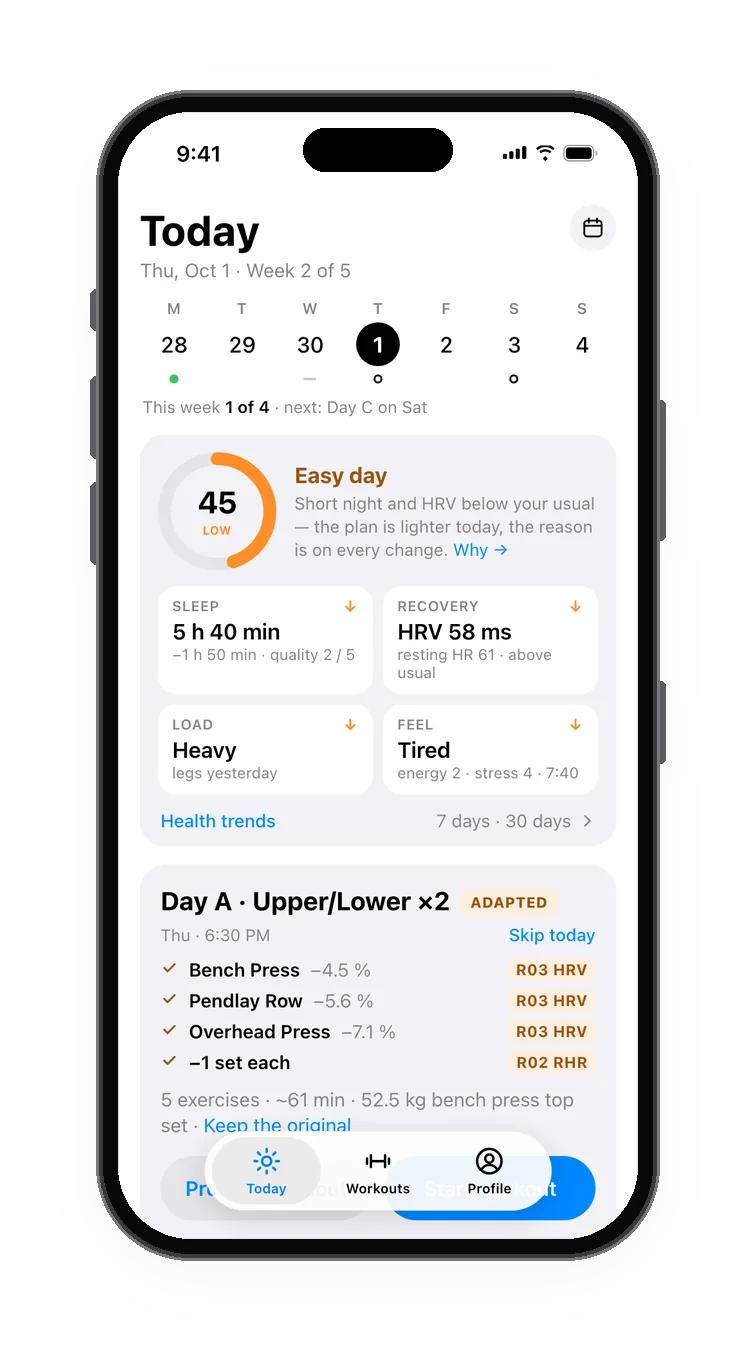
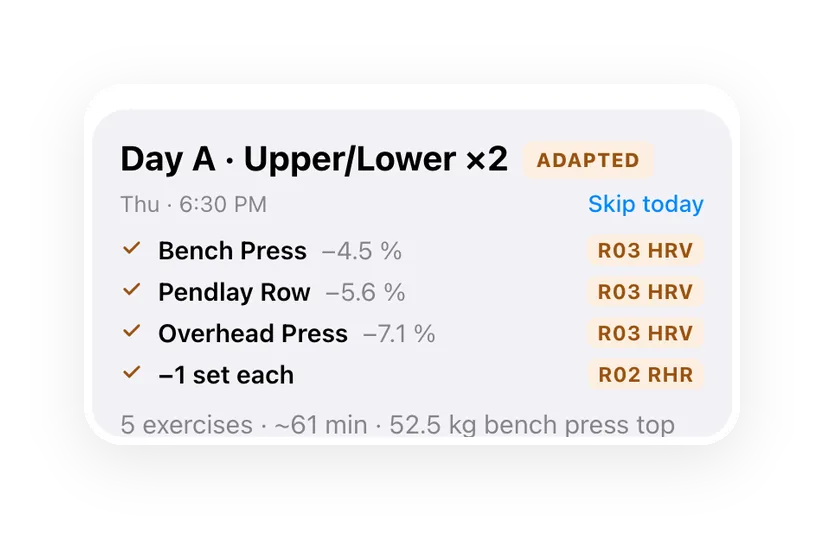
Lighter on a rough night, more when you are flying.
- Every change comes with its reason
- Keep the original plan in one tap
- A recovery session when your body asks for one
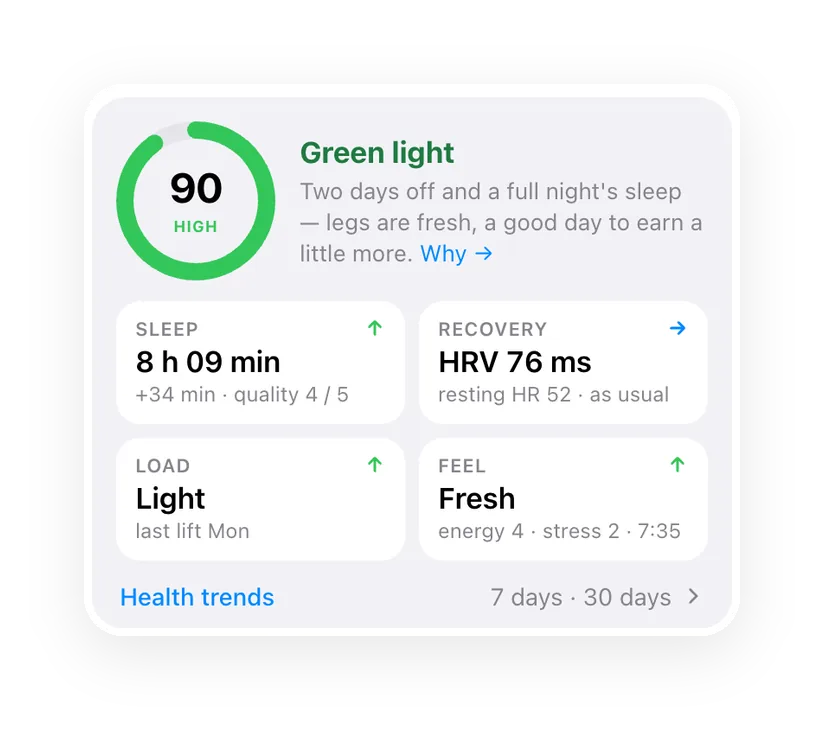
Know your day.
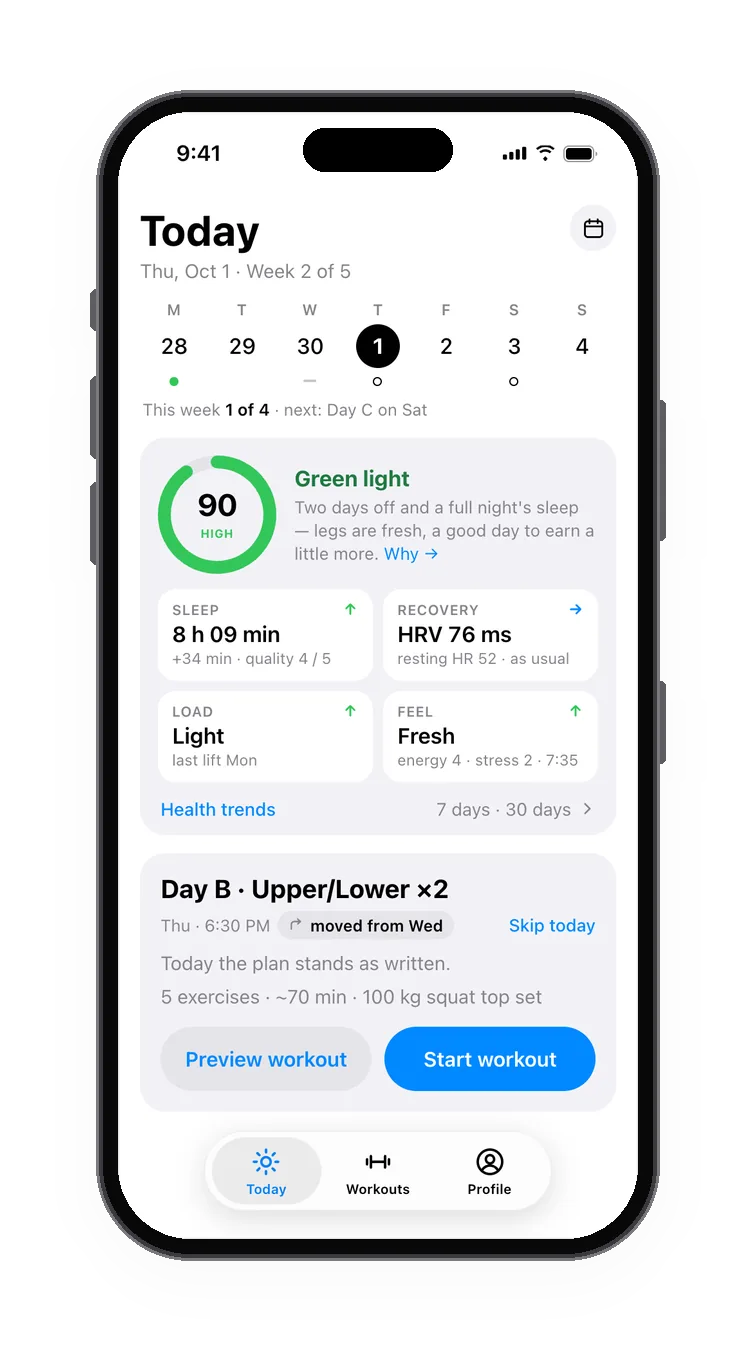
One readiness score, measured against your own baseline.
- Sleep, HRV and resting heart rate from Apple Health
- Sleep stages from your watch, your own baseline underneath
- A 30-second check-in; bands from High to Recovery say what kind of day it is
Your week, on your days.
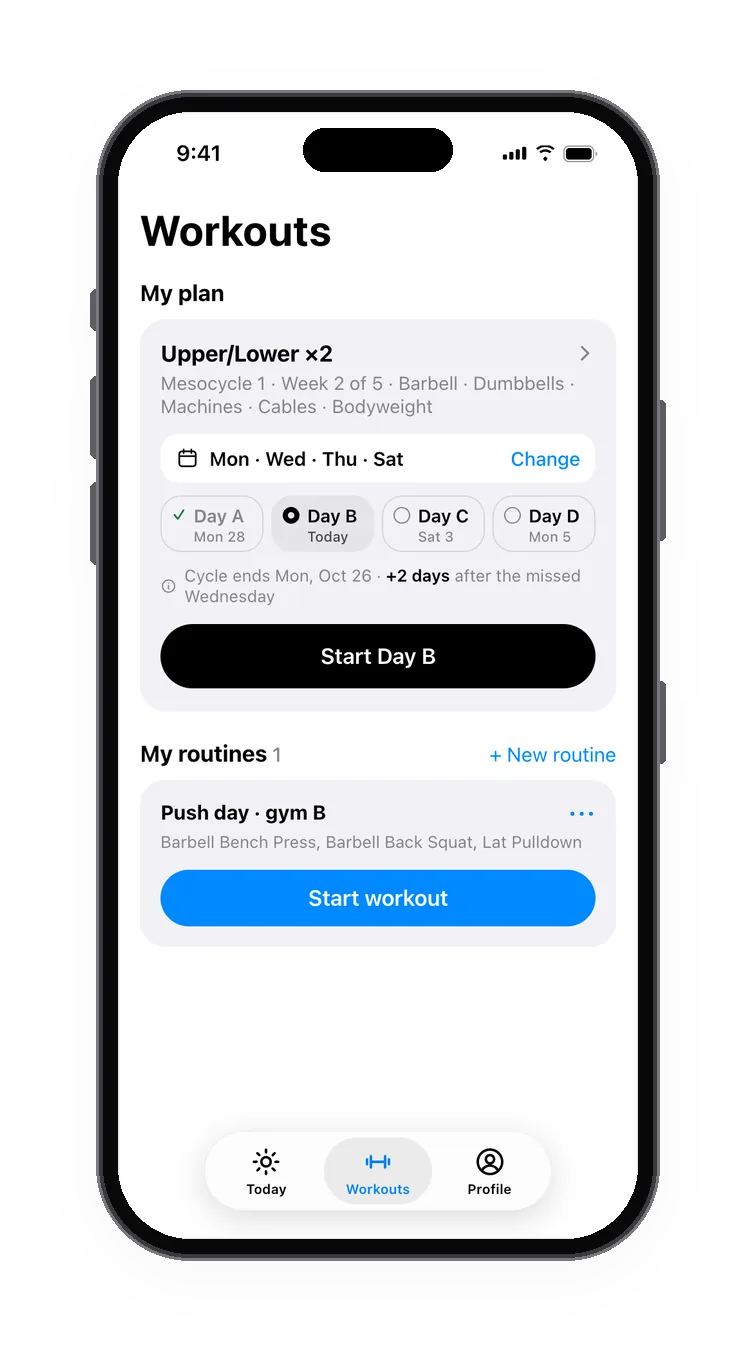
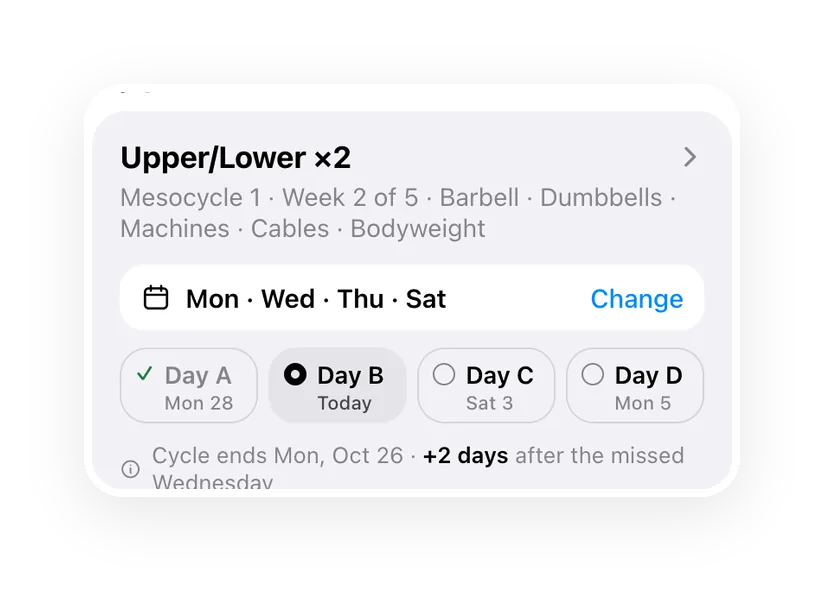
Pick the days once — the plan lives on them.
- Mon · Wed · Thu · Sat, or any days you train
- Missed one? It moves to the next training day
- A start time per day and a reminder before it
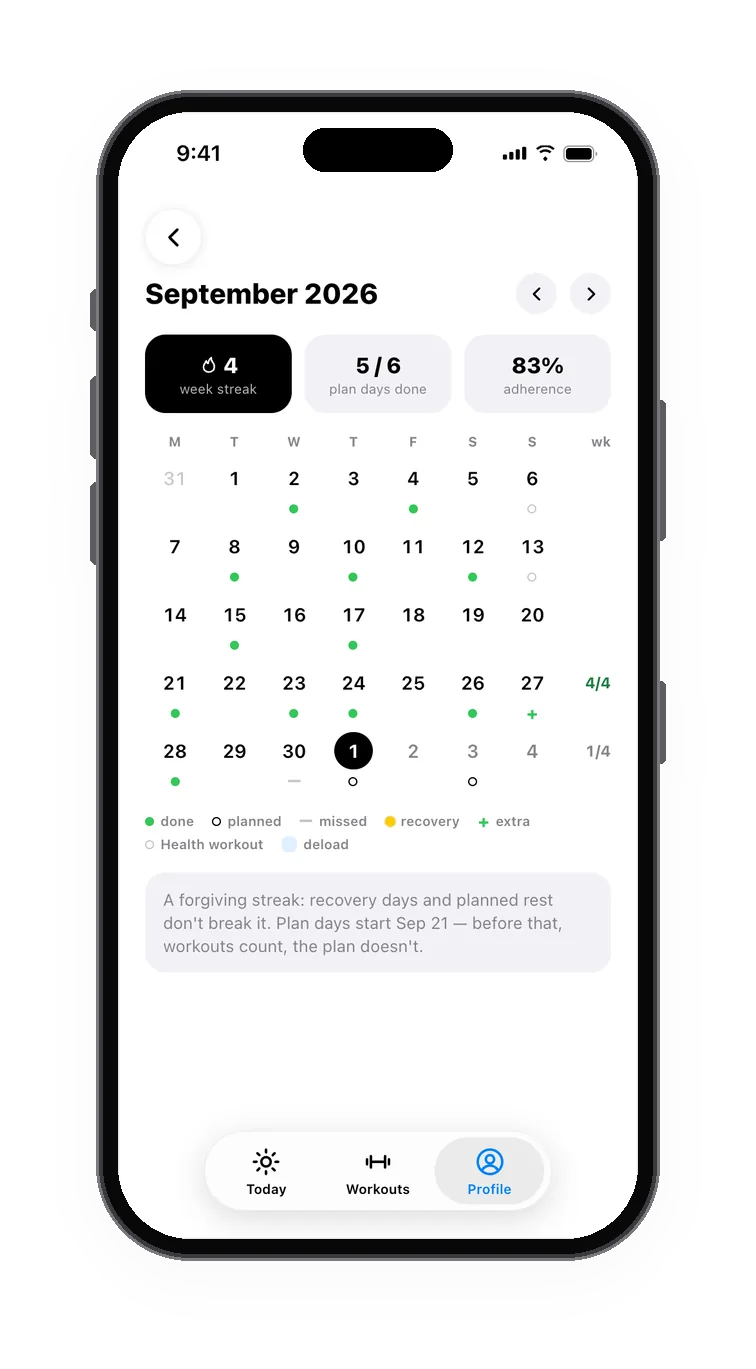
Every day on the calendar.
Plan against fact, a month at a glance.
- Done, missed, rest and the deload week — each with its mark
- The streak and how many plan days you made
- Export the plan to your calendar app
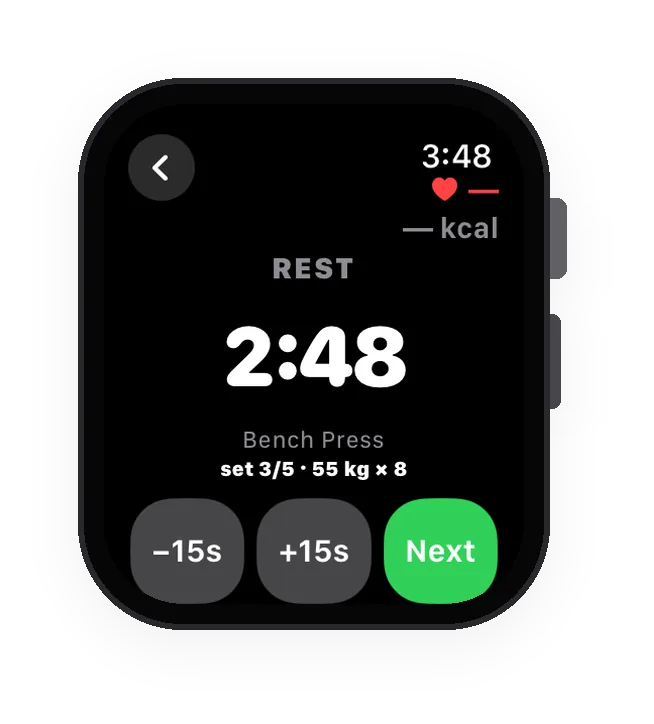
On your wrist.
Start on either device — the other follows.
- Sets, rest and heart rate on the watch
- Leave the phone in the locker; it syncs later
- Rest timer and the next set on the lock screen
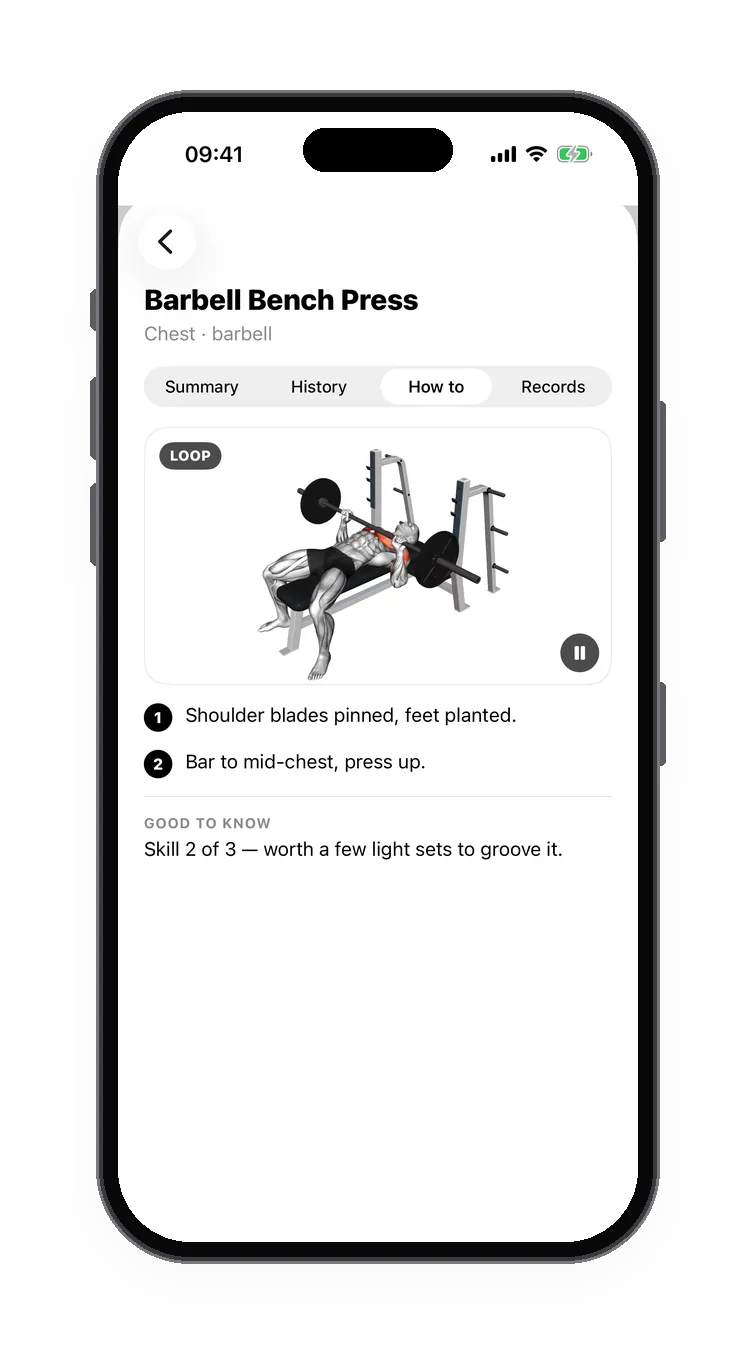
See every lift.
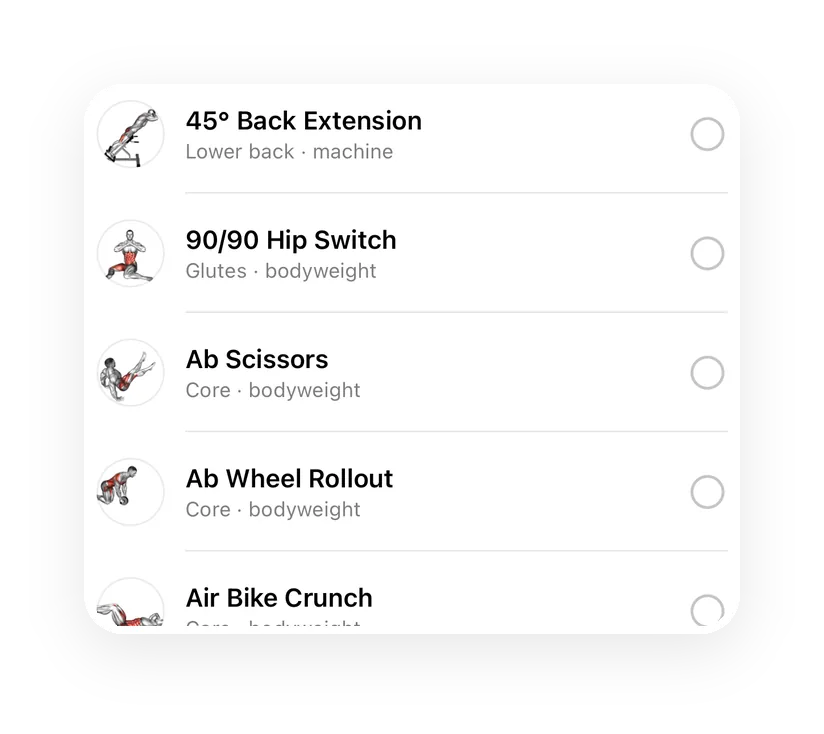
463 exercises, each with a looping video — right in the card.
- Works offline — the videos ship with the app
- Filter by muscle and equipment, from kettlebells to cardio machines
- Substitutions that fit your gear; your own exercises next to the library
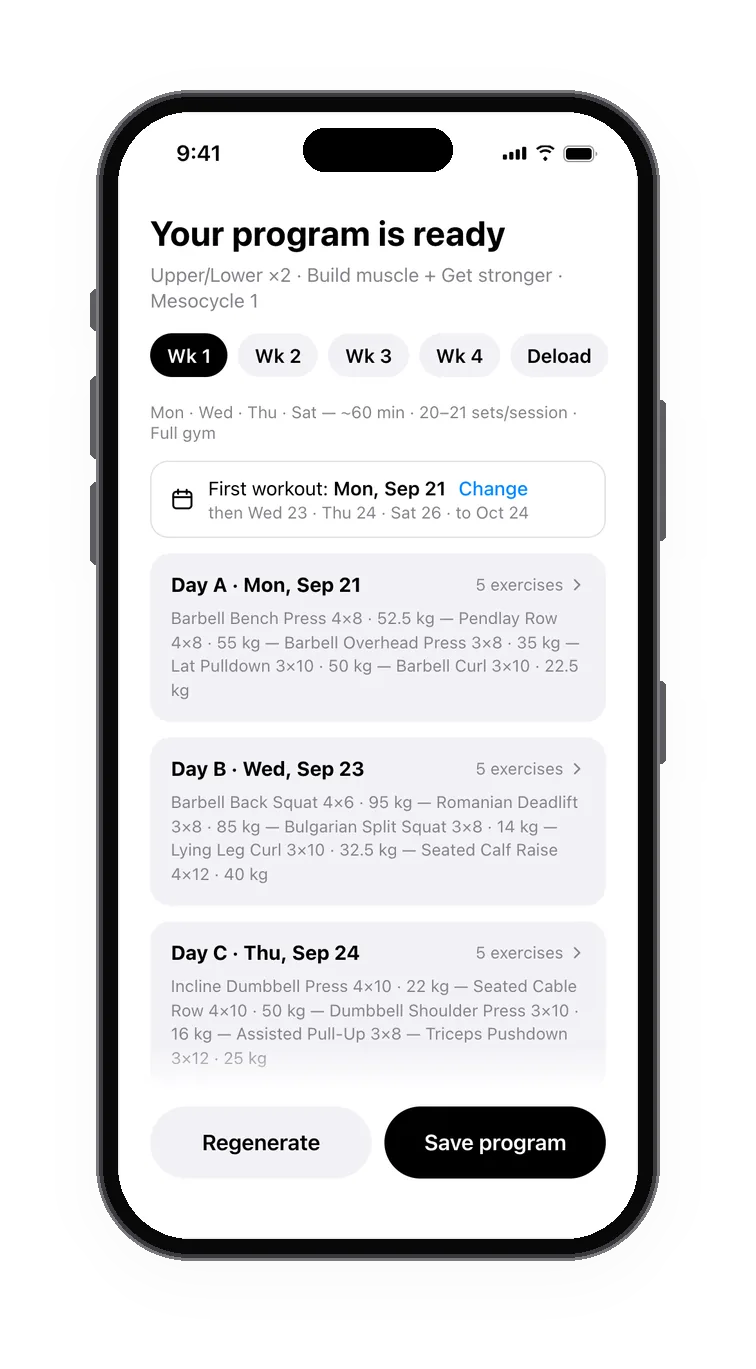
A program in minutes.PRO
Built for your goal, your days and your equipment.
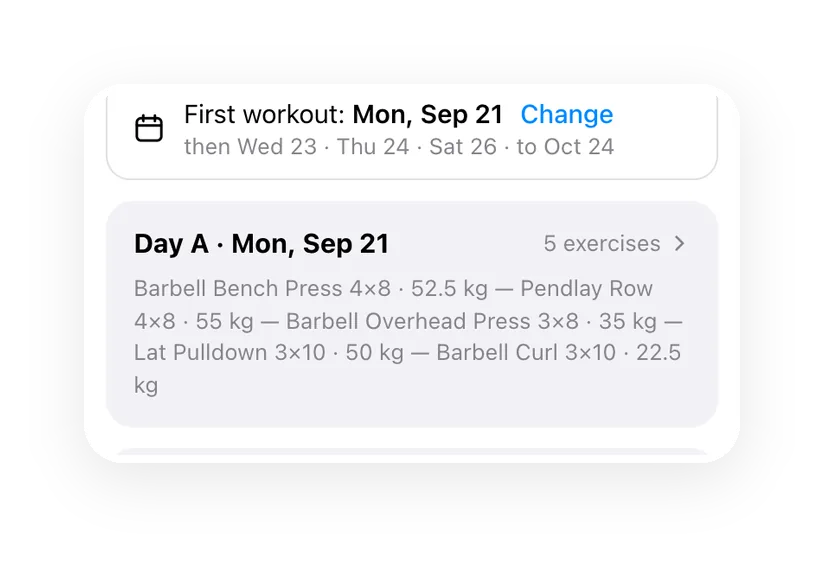
- Weeks with deloads planned in, dates on every day
- Starting weights from what you already lift
- Pick the first workout day; edit any day — the plan progresses from your edits
A goal you can see.
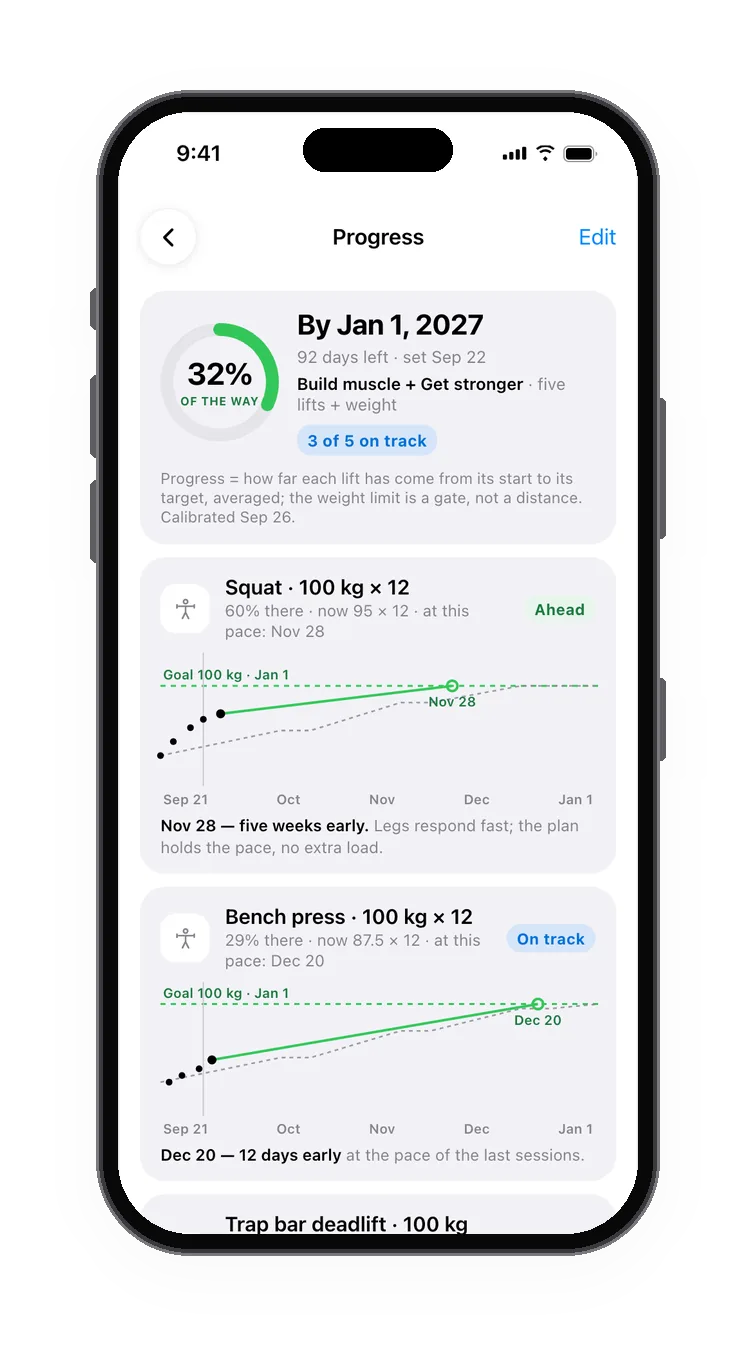
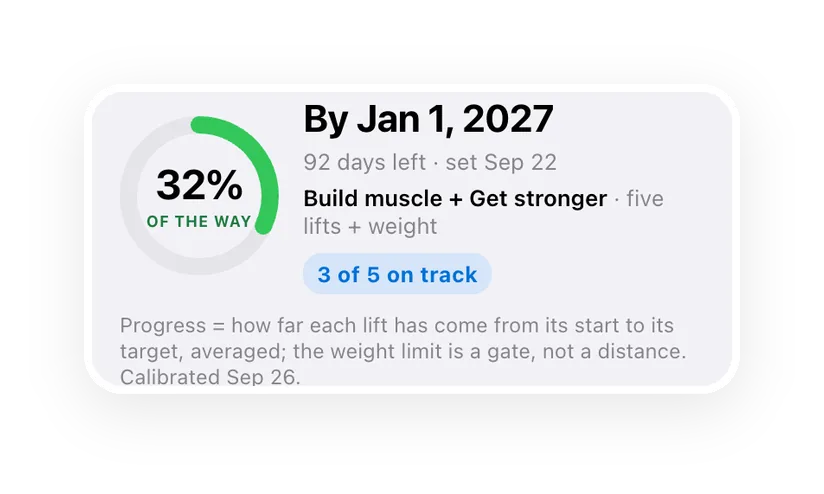
Five lifts and your body weight — one number for the way there.
- Squat, bench, deadlift, overhead press, pull-up — your targets by a date
- A chart for every lift: your pace against the plan
- Behind? The next cycle leans on what lags
Measurements that count.
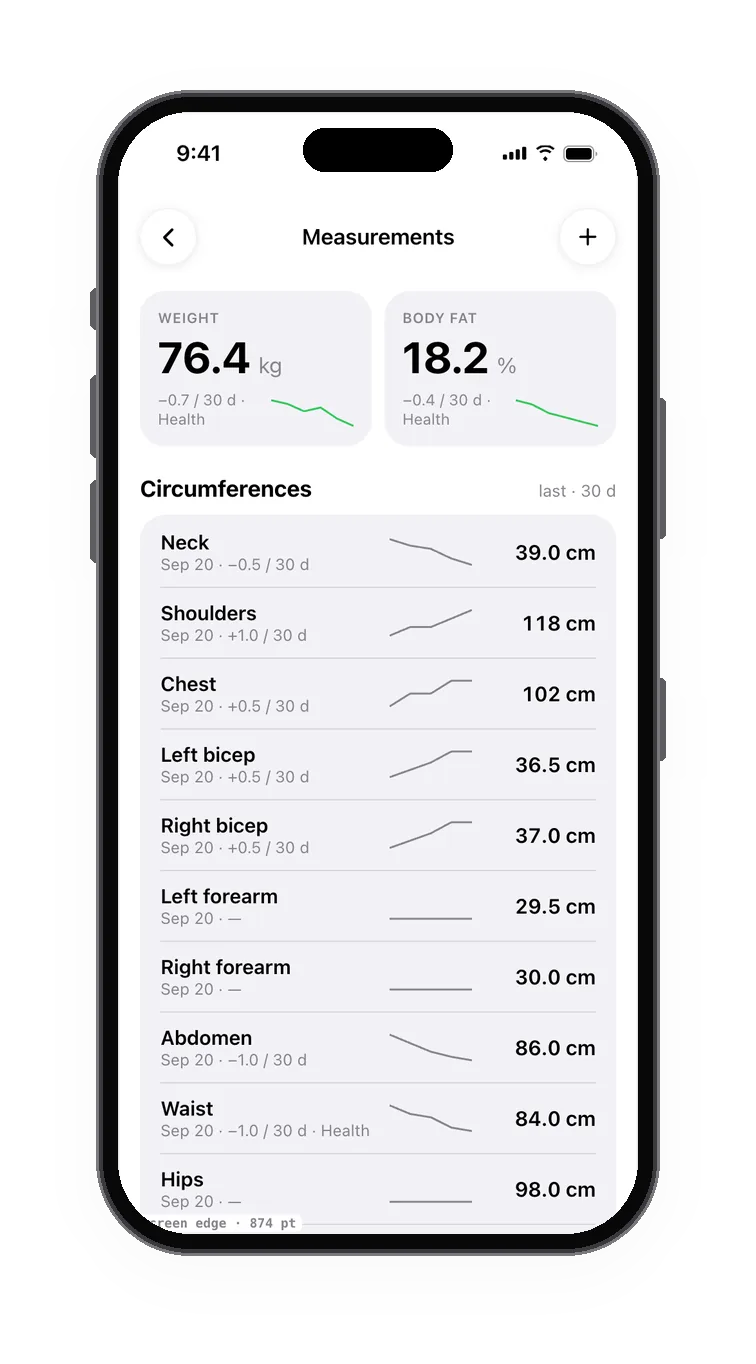
The tape and the scale, next to the lifts.
- Weight, body fat and fourteen circumferences, left and right apart
- Weight, body fat and waist sync with Apple Health both ways
- A measuring day every two weeks — the app reminds you
Free to log. Pro to plan
around your day.
Free, forever
Everything you need to train.
- The full logger
- Your own routines
- Readiness score
- History and records
- Apple Watch
- Import and export
Pro
Your day, adjusted — with the reason why.
- Your program and plan
- Daily adaptation with its reasons
- Readiness trends
- Calibration to how you respond
- Plain-language explanations
Your data stays yours.
- Readiness and the plan are computed on your iPhone and Apple Watch
- Your Health history stays on your devices and in your own iCloud
- No ads, no ad trackers. Your data is never sold
- Delete everything from inside the app
Questions
Where do I get GymLift?
On the App Store — free for iPhone, the Apple Watch app comes with it. Tap the badge or scan the code on this page.
Is it free?
Yes. The logger, your own routines, the readiness score, goals, measurements, history, Apple Watch and import and export are free forever. Pro builds your plan and adjusts it every day with a reason for every change.
Do I need an Apple Watch?
No. GymLift works on iPhone alone; with a watch you can log from the wrist and leave the phone in the locker.
Where does the readiness score come from?
Your sleep, HRV and resting heart rate from Apple Health, compared with your own baseline, plus a 30-second check-in.
Can I bring my workout history?
Yes, from Hevy: export the CSV there and pick it in GymLift — previous weights, records and the calendar work from day one.
Is this health advice?
No. GymLift is a training tool, not health advice. If something hurts and keeps hurting, see a specialist.
Train with GymLift.
Free on the App Store. Your workouts, your watch, your data.
Scan to get iton your iPhone