 GymLift

Connect your assistant.
Ask Claude, ChatGPT or another assistant about your training. It sees your GymLift data as it is and can change your plan — you see every change and why.
Before you start
- GymLift Pro on your iPhone.
- No sign-up, no password: the GymLift app confirms the connection.
- Adding a connector by link depends on your assistant's plan.
Your GymLift link
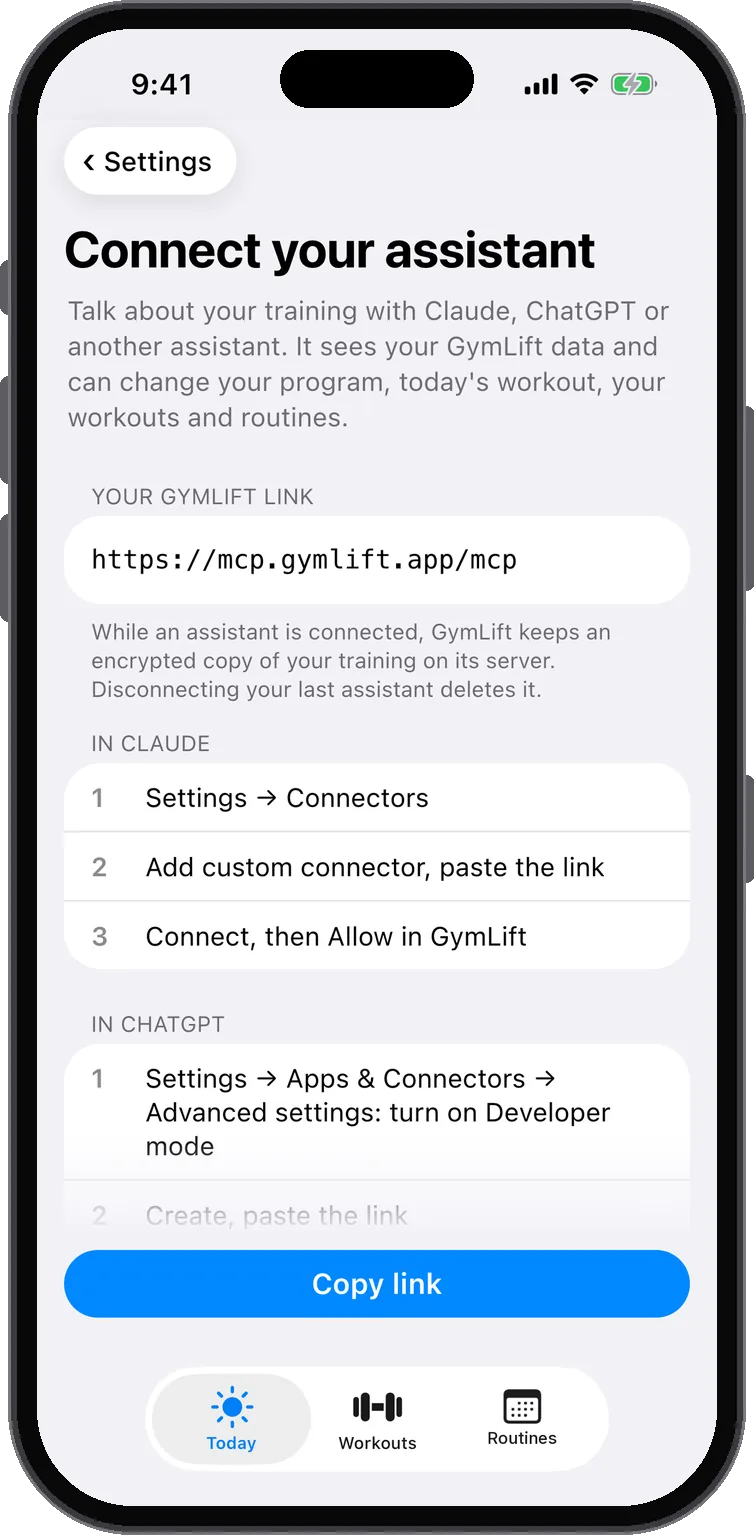
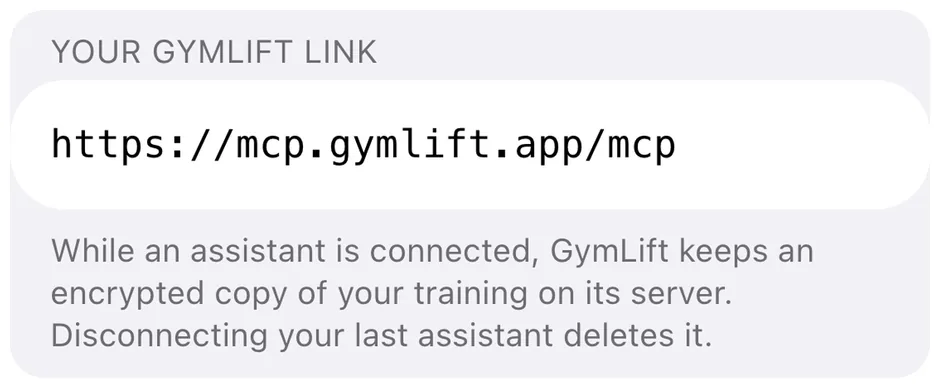
https://mcp.gymlift.app/mcpIt's also in GymLift: Settings → Connect your assistant.
Claude
On claude.ai or in the Claude desktop app. Once added, it works in Claude on your phone too.
- Settings → Connectors → Add custom connector.
- Name: GymLift. Link: https://mcp.gymlift.app/mcp. Add, then Connect.
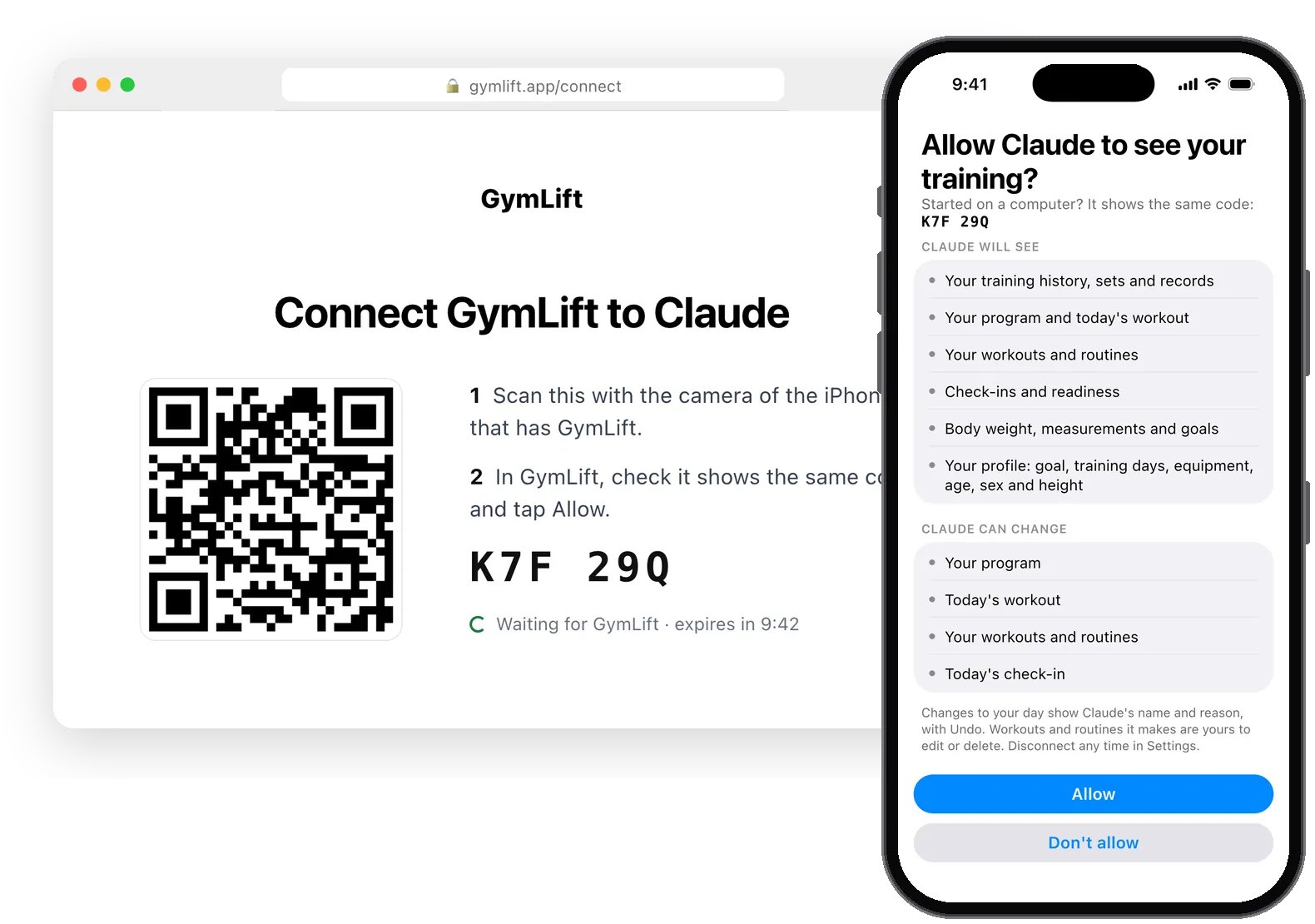
- A GymLift page opens. On your iPhone, tap Open GymLift. On a computer, scan the code with your iPhone — GymLift shows the same code as the page.
- In GymLift, tap Allow. Then choose whether to share Apple Health too.
- Go back to Claude and ask about your training.
ChatGPT
- Settings → Apps & Connectors. If there's no way to add one, turn on Developer mode in Advanced settings.
- Create a connector: name GymLift, link https://mcp.gymlift.app/mcp, sign-in OAuth.
- Then as in Claude: open GymLift, tap Allow, ask.
Other assistants
Any assistant that can add a remote MCP connector with OAuth sign-in. Add the link, then open GymLift, tap Allow, ask.
What your assistant sees
- Your training history, sets and records
- Your program and today's workout
- Your workouts and routines
- Check-ins and readiness
- Body weight, measurements and goals
- Your profile: goal, training days, equipment, age, sex and height
- Apple Health only if you say yes for that assistant: sleep, HRV, resting heart rate, steps, active energy, workouts from Apple Health with their heart rate, and the readings behind your readiness score
What it can change
- Your program
- Today's workout
- Your workouts and routines
- Today's check-in
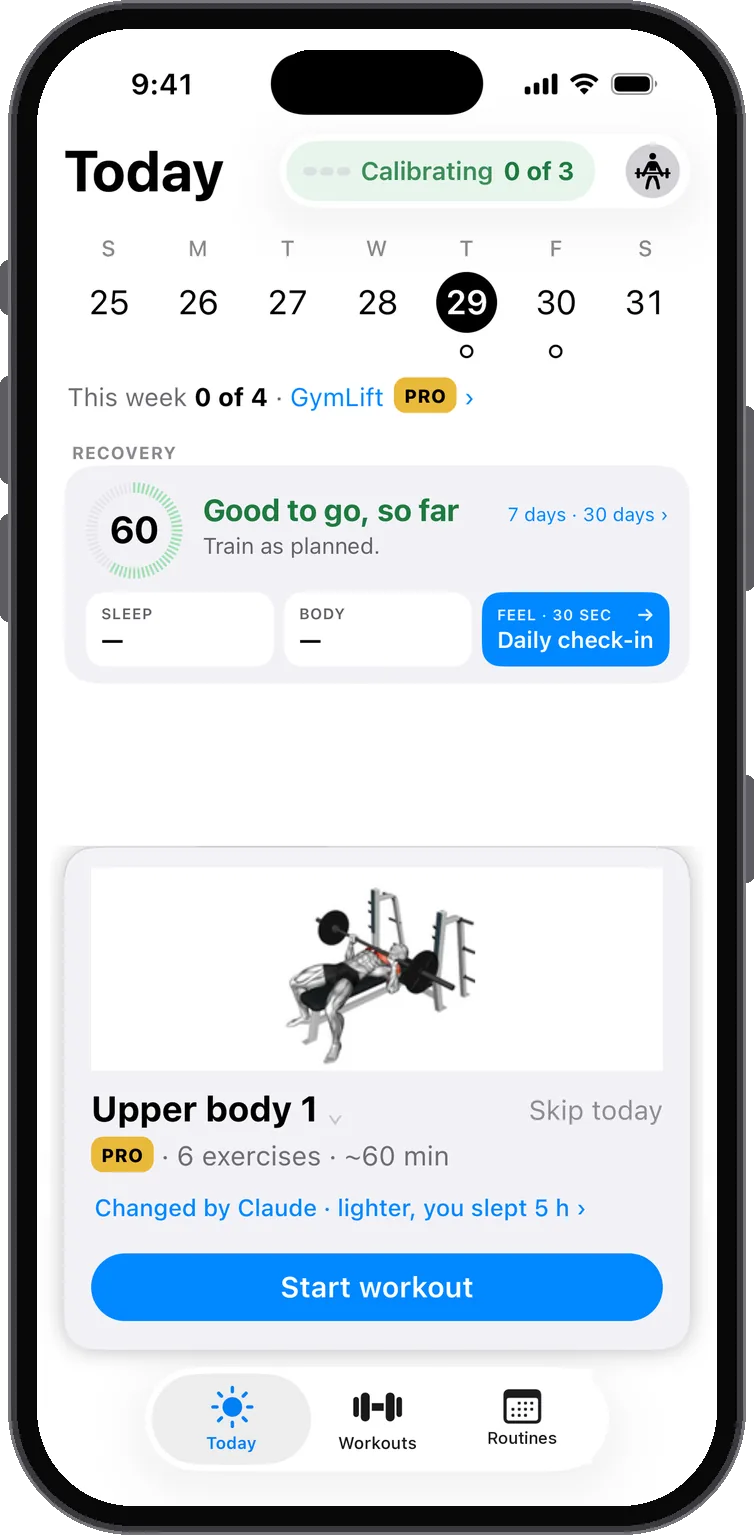
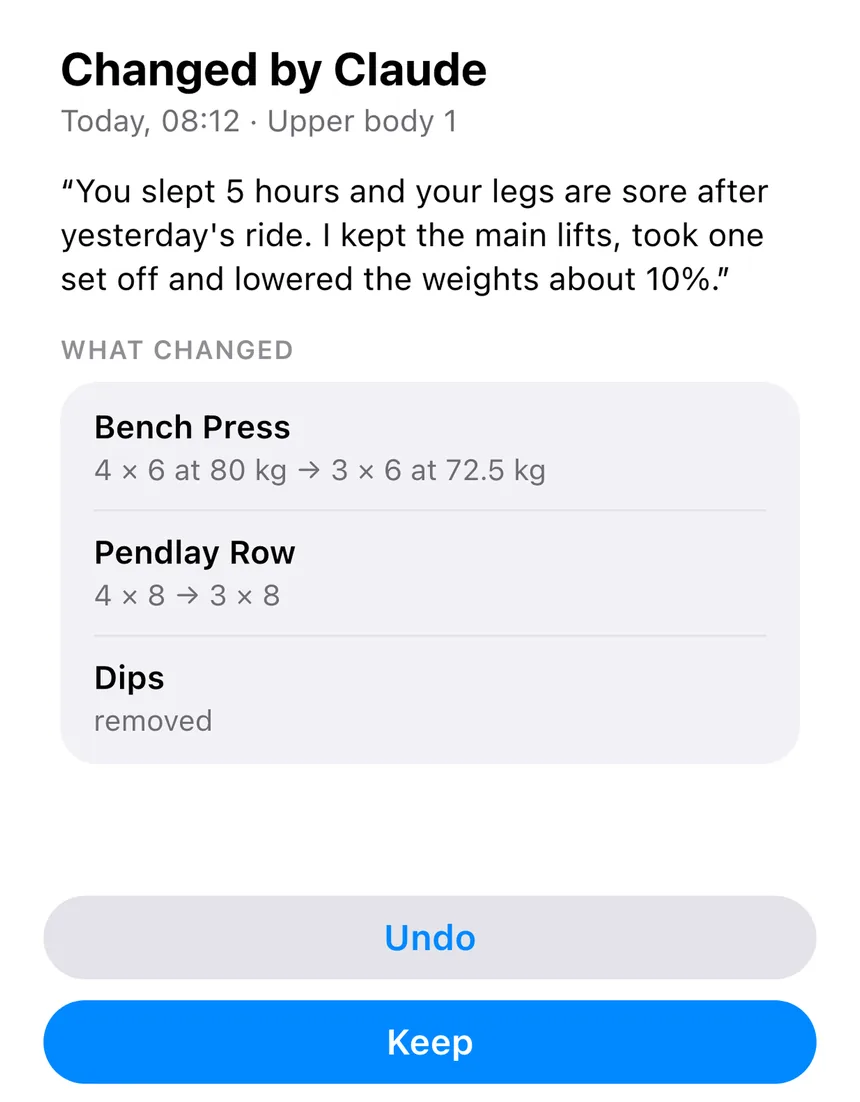
Changes to your day or your program show on Today and in the routine, with the assistant's name and its reason, and you can undo them there. Workouts and routines it makes or edits are yours to change or delete like any other.
Try asking
How did my bench press go this month?
I slept badly — make today's workout lighter.
Move Thursday's workout to Friday.
I'm travelling next week: build me three dumbbell workouts and a routine for them.
What's a realistic deadlift target for the end of this program?
Stop any time
In GymLift: Settings → Connect your assistant. Stop sharing Apple Health with one assistant, disconnect one, or Disconnect all. Removing GymLift inside your assistant stops it reading; disconnect it in GymLift too.
Your copy on our server
- While an assistant is connected, GymLift keeps an encrypted copy of your training on its server, so the assistant can read it when you ask.
- Not your name, Apple ID or email.
- It's deleted when you disconnect your last assistant or delete your account, and after 90 days without an update from your iPhone.
- Nobody at GymLift reads it. It's never sold, used for ads or used to train models.
- What your assistant does with what it reads is between you and its provider (Anthropic, OpenAI or another).
Claude is a trademark of Anthropic, ChatGPT of OpenAI. GymLift isn't affiliated with either.